Introduction
This article is the first part of a 10 part series that I posted as a tutorial for the readers. I will go through step-by-step going over how I created a link shortener app from scratch.
In this post, I will go through the set-up process that should be done before we do any real coding. That includes installing the necessary dependancies, and setting up the structure of the project
What should you know before starting with this project ?
There are a few things you are expected to know before proceeding further:
- I am assuming you know a basic knowledge of programming
- A basic awareness of how websites work (Back-end, Front-end, API’s)
- This is not a very in-depth tutorial but I will go through the main concepts and publish the code online.
What you need to install
- Install npm and node.js
- Install Mysql Server
- A code editor, I recommend VSCode
and at the end you should have MySQL Server installed you should be able to verify installation of npm and node.js in your terminal like this
node -v && npm -vMy node version is 16.16.0 and my npm version is 8.11, you might have different version.
Setting up project
As mentioned, we will be using Node.js for our backend. The first step to any Node.js app is to run npm init in an empty folder. as you run this command, it will prompt you several questions and you should try to answer it correctly but in my experience, it doesnt matter what your answer is if you are just opening up a personal project.
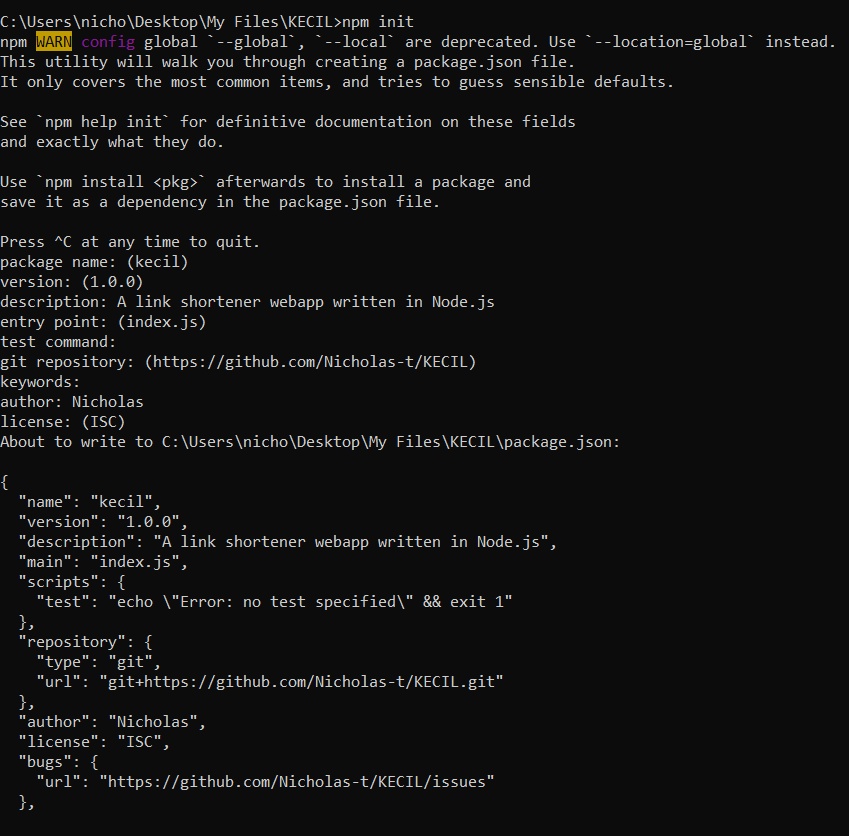
You may notice as you run that, a new file is created named package.json and this will allow you to keep track of your dependencies.
At the end, you will see a folder like this.
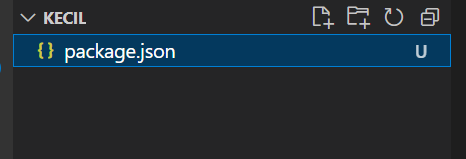
An empty folder with just 1 file. As simple as that, we have done our necessary set up for this project.
Here is the code for this part of the project.
Now that we have set up the necesary environment, lets start talking about our database in the Part 2 of the series 🤩